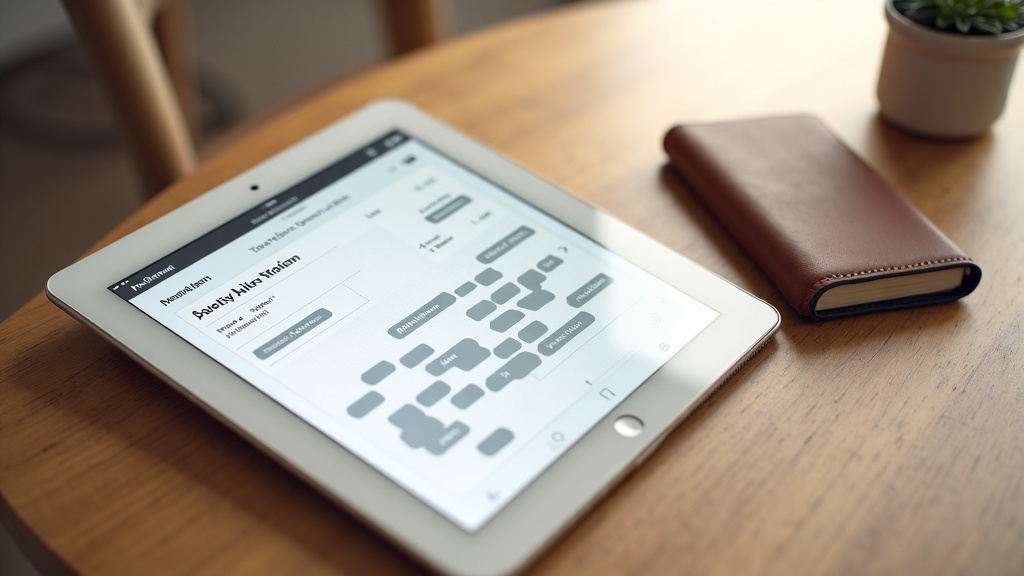
If your front desk is answering the same "can I book an appointment?" question 30 times a day — and still missing calls after 5 PM — you're not running a business problem. You're running an automation problem. Learning how to automate appointment booking for your small business is one of the highest-ROI decisions you can make in 2026, and this guide walks you through every level: from free scheduling widgets all the way to AI voice agents that answer the phone and book the slot themselves.
We'll cover what each level costs, how to set it up step by step, which industries benefit most, the mistakes that kill your results, and the ROI math that makes the decision easy.
Why Manual Booking Is Killing Your Revenue
Manual appointment booking — meaning a human answers the phone, checks the calendar, and confirms the slot — sounds simple. But the leaks are everywhere:
- Missed calls. The average service business misses 35–40% of inbound calls. Each missed call is a lead that called your competitor next. For a dental office or salon where a new client appointment is worth $150–$500, even five missed calls a week adds up to thousands lost per month.
- Double-bookings and scheduling errors. When booking lives in a mix of paper, texting, and a front desk calendar, conflicts happen. Every double-booking costs you time, a frustrated client, and sometimes a scathing review.
- After-hours inquiries with no answer. A large share of service inquiries happen between 6 PM and 10 PM — while people are on their phones after work. If your booking system is "call during business hours," you're invisible to an enormous chunk of your potential market. See our deeper breakdown in The True Cost of No-Shows and Missed Appointments.
The core problem: Your calendar has open slots. Customers want those slots. Manual processes are the only thing standing between those two facts — and automation removes that barrier entirely.
3 Levels of Booking Automation
Not all appointment automation is the same. There are three distinct levels, each more capable than the last — and each appropriate for different stages of your business or different tolerance for investment.
Online Scheduling Widget
Tools like Calendly or Acuity Scheduling embed a booking page on your website. Customers pick a time themselves. No phone call needed.
AI Chatbot That Books
A conversational AI on your website or SMS captures the customer's intent in plain language, qualifies them, and books the appointment — 24/7.
AI Voice Agent
An AI phone receptionist answers every inbound call, handles FAQs, and books appointments by voice — exactly like a human front desk, around the clock.
Level 1 — Online Scheduling Widget
This is the entry point. Tools like Calendly, Acuity Scheduling, Square Appointments, and Booksy give customers a self-serve booking page linked to your live calendar. They pick a service, pick a time, enter their contact info, and the appointment lands in your calendar automatically with a confirmation email. No phone call required. This is the minimum viable booking automation and it alone will reduce no-shows through automated reminders.
Level 2 — AI Chatbot That Books
A scheduling widget still requires customers to navigate to your booking page. An AI chatbot meets them wherever they are — your website homepage, a Facebook ad, an SMS follow-up. The customer types "I need a cleaning on Thursday" and the AI captures that intent, checks availability, confirms the slot, and logs the appointment. It also handles questions like "how long does it take?" or "do you take my insurance?" before the booking even happens. This is where automation starts feeling like a real receptionist.
Level 3 — AI Voice Agent
The most powerful level. An AI voice agent answers your phone line — even at 11 PM on a Saturday — with a natural conversation. It greets callers by your business name, handles common questions, and books the appointment verbally. For businesses where a large share of bookings still come by phone (dental offices, law firms, contractors), this is the automation that captures the highest-value leads. See our guide to bizbot pricing for what full deployment looks like.
What Each Level Costs
Free Audit · No Credit Card
See exactly what AI can automate in your business — free.
Get Your Free AI Audit →| Level | Tools / Approach | Monthly Cost | Setup Effort |
|---|---|---|---|
| Level 1 — Scheduling Widget | Calendly, Acuity, Booksy, Square | Free – $30/mo | DIY, 1–2 hours |
| Level 2 — AI Chatbot | bizbot AI Chatbot, custom AI chat | $97 – $500/mo | Done-for-you, 48–72 hrs |
| Level 3 — AI Voice Agent | bizbot AI Voice Agent, AI phone line | $97 – $1,000/mo | Done-for-you, 1–2 weeks |
Most small businesses that commit to full booking automation run Level 1 plus Level 2 or 3, spending $300–$600/mo total. The ROI calculation in the final section shows why that math almost always works in the business's favor.
Step-by-Step: How to Set Up Automated Booking
-
Choose your calendar tool. If you don't already have one, start with Acuity Scheduling or Calendly. Set up your services, durations, and available hours. Make sure the calendar syncs with Google Calendar or Outlook so there are no double-bookings.
-
Embed the booking widget on your website. Add a "Book Now" button in your nav, on your homepage hero, and on your contact page. Every page should have at least one path to booking. This alone will capture a significant share of after-hours intent.
-
Connect an AI chatbot. Deploy an AI chat widget trained on your services, pricing, and FAQs. Configure it to capture booking intent and hand off to your scheduling tool — or book directly. bizbot handles this setup entirely within 48–72 hours.
-
Add an AI voice agent to your phone line. Route your main business number through an AI voice agent. It greets callers, answers questions, and books appointments. Calls that need a human are escalated or sent to voicemail with a callback promise. This is your 24/7 front desk.
-
Set up confirmation and reminder sequences. Configure automatic confirmation texts and emails at booking, plus reminder messages 48 hours and 2 hours before the appointment. This single step typically reduces no-shows by 30–50%. Automated follow-up is also where you collect reviews after the visit.
Industries That Benefit Most
Booking automation delivers outsized results in any business where appointments are the revenue unit. These industries see the fastest ROI:
High appointment value, high call volume, insurance questions that slow booking. AI handles all three and fills hygiene schedules automatically.
Class bookings, personal training sessions, and membership follow-ups all automated. Reduces admin load and increases class fill rate.
No-show rate is the #1 revenue killer. Automated reminders and same-day confirmations reduce cancellations dramatically.
High-value consultations that are lost if the first inquiry goes unanswered. AI captures the lead and books the consult instantly.
Leads come in evenings and weekends. AI voice answers after hours, qualifies the job, and books the estimate before the lead calls someone else.
High repeat-visit frequency means reminders and re-booking automation compound heavily over time — one setup pays off for years.
Common Mistakes That Undercut Your Automation
Setting up a scheduling widget is not the same as building an automated booking system. These are the mistakes that leave money on the table even after you've deployed tools:
- No confirmation texts. Email confirmations alone are not enough in 2026. SMS confirmation rates are 4–5x higher than email open rates. If your booking system doesn't send a text, a large share of your bookings will be forgotten by the customer before the appointment date.
- No same-day reminder. The 48-hour reminder is standard. The 2-hour same-day reminder is what actually prevents no-shows. This is the message that makes someone look at their calendar, reschedule if needed, or confirm they're coming. Skip it and your no-show rate stays elevated.
- Not capturing walk-in interest. Not every customer is ready to book when they first visit your website. An AI chatbot that captures "I'm interested in your services" and triggers a follow-up sequence — without requiring an immediate commitment — is how you convert browsers into booked appointments over 24–48 hours rather than losing them entirely.
- Booking widget buried on a contact page. If your "Book Now" button is only on your contact page, you're filtering out everyone who didn't bother to navigate there. It should be in your navigation bar and visible above the fold on your homepage.
- No post-appointment follow-up. The booking system should trigger a review request 24 hours after the appointment and a re-booking prompt at the appropriate interval. This is where the compounding value of automation lives.
ROI Math: Does Booking Automation Pay for Itself?
The question every business owner asks before investing in automation is: will this pay for itself? For appointment-based businesses, the math is usually straightforward. Here's a conservative example:
ROI Example: Service Business, $100 Average Booking Value
That's a conservative scenario. Businesses with higher average booking values — dental offices at $300 per patient, law firms at $500 per consult, contractors at $400 per job estimate — see the math shift dramatically further in their favor. And the automation runs every day, including nights, weekends, and holidays, without asking for time off.
The real question isn't "can I afford booking automation?" — it's "how much revenue have I already lost without it?" For most small service businesses, that number is far larger than the cost of the solution.
Next Steps: Automate Your Booking Today
The fastest path to a fully automated booking system is starting with what you have: add a scheduling widget today (free with Calendly), put "Book Now" in your nav, and set up SMS reminders. That alone will show you measurable improvement within the first week.
For the full stack — AI chatbot that captures intent and books, AI voice agent that answers the phone, and automated follow-up sequences that reduce no-shows and request reviews — bizbot builds and manages all of it for you. We scope a full build at about two weeks, and the tools then run 24/7 without any ongoing management on your end.
Start with a free AI audit to identify exactly where your booking process is losing revenue and which tools will close those gaps fastest. Or jump straight into the 14-day trial for $97 and see a live AI tool in your business before committing to a monthly plan.